- Avaleht /
- Elektroonika /
- Computer Accessories /
- Computer Components /
- Single Board Computers /
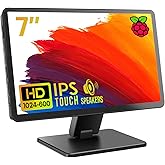
- Raspberry Pi 7" Touch Screen Display
0 ratings


Toote nr:
636857
Raspberry Pi 7" Touch Screen Display
89% of respondents would recommend this to a friend
Toote nr:
636857
€ 94
Price Details
Excluding Shipping & Custom charges ( Shipping and custom charges will be calculated on checkout )
*All items will import from USA
0 ratings
Kirjutage arvustus
Laos
 Imporditud USA poest
QTY:
Kui tellid kohe, saad toote kätte Monday, November 02
Secured transaction
Ubuy works hard to protect your security and privacy. Our advanced payment security system ensures confidentiality by encrypting your information during transmission using AES (Advanced Encryption Standards) and SSL (Secure Socket Layer) protocols. Your payment details are 100% secure as we do not share your payment details with third party sellers.
Our Top Logistics Partners


Fast
Shipping

Free
Return*

Secure Packaging

100% Original Products

PCI DSS Compliance

ISO 27001 Certified



Note: Step Down Voltage Transformer required for using electronics products of USA store (110-120). Recommended power converters Osta kohe.


Toote üksikasjad
| Aspect Ratio | 1.67:1 |
| Screen Finish | Matte |
| Refresh Rate | 60 |
| Display Type | LCD |
| Display Technology | LCD |
| Screen Size | 7 inches |
| Item Dimensions D x W x H | 0.79"D x 6.3"W x 0.79"H (2 x 16 x 2 cm) |
| Item Weight | 381 g |
| Resolution | HD |
| Display Resolution Maximum | 800x400 |
| Native Resolution | 800 x 480 |
| Response Time | 2 milliseconds |
| Number of Component Outputs | 1 |
| Additional Features | Touchscreen |
| Compatible Devices | Desktop |
| Brand | Raspberry Pi |
| Model Number | 7TOUCH |
| Model Name | raspberry pi |
| UPC | 013088392127 702658304126 |
| Manufacturer | Raspberry Pi |
| Unit Count | 1 Count |
| Global Trade Identification Number | 00702658304126 |
| Connectivity Technology | GPIO, USB |
| Hardware Connectivity | USB |
| Screen Surface Description | Matte |
TOOTE KIRJELDUS
Kas teil on küsimusi? Vestelge meiega
Klientide küsimused ja vastused
-
küsimus:
Kuidas osta Raspberry Pi 7" Touch Screen Display Internetist Ubuyst?
vastama: Ubuyst on lihtne veebis osta Raspberry Pi 7" Touch Screen Display.. Peate lihtsalt otsima toote, valima väljaregistreerimise ajal tarneviisi ja hankima selle teie asukohta. -
küsimus:
Kas Raspberry Pi 7" Touch Screen Display on võrgus ostmiseks saadaval asukohas Estonia?
vastama: Jah, Ubuy Estonia-s on see toode teile mõistliku hinnaga ostmiseks saadaval.. Raspberry Pi 7" Touch Screen Display pole kohapeal saadaval, kuid võite usaldada meile meie kiirsaadetmise teenused. -
küsimus:
Kui kaua kulub toote kättesaamiseks pärast tellimuse esitamist?
vastama: Teie tellitud toote tarneaeg sõltub teie tellitud kaubast ja teie valitud saatmisviisist.. Hinnanguline tarneaeg mainitakse kassaprotsessi ajal, seega olge ostlemisel muretu.
Raspberry Pi Single Board Computers 7TOUCH Editorial Review
Ühtegi toimetuse arvustust ei leitud
Customer Reviews & Ratings
2037 kliendi hinnangud
-
5 tärn
78%
-
4 tärn
12%
-
3 tärn
6%
-
2 tärn
1%
-
1 tärn
3%
Kirjutage selle toote arvustus
Jagage oma mõtteid teiste klientidega
Platform Trust & Buyer Confidence

JK
Jasmin
Verified buyer
“Great products and very good service: very easy and very fast international delivery.”
9 September 2026 · via Trustpilot
AG
Anke
Verified buyer
“Wonderful online shopping experience, smooth transaction from the start. Payment method works conveniently and delivery is unexpectedly fast and reliable. You go the extra mile for service. What makes this even more amazing, you deliver to Namibia. I will remain a happy Ubuy customer and will increase my purchases for sure! Thank you!”
10 September 2026 · via Trustpilot
H
Hazel
Verified buyer
“Very easy to find the products what you need, and so fast delivery, that’s why I highly recommended to others costumers to used ubuy.”
10 September 2026 · via Trustpilot
O
Opaleye
Verified buyer
“I received exactly what I ordered I was skeptical about your site because that was my first time to order. But the order came timely and neatly packaged. I was not disappointed. Thank you.”
11 September 2026 · via Trustpilot
AC
Adele
Verified buyer
“Easy to find and order what you want on the website. Delivery is quick to the UK”
8 September 2026 · via Trustpilot
WHY SHOP WITH US
Turvaline maksmine
Global Delivery
Easy Returns
Genuine Products
Customers also viewed these products

Product Price History
Oluline teave
- Piirangud: rahvusvaheliselt tarnitavate toodete puhul pidage meeles, et tootja garantii ei pruugi kehtida; tootja teenindusvalikud ei pruugi olla saadaval; tootejuhendid, juhised ja ohutushoiatused ei pruugi olla sihtriigi keeltes; tooted (ja nendega kaasnevad materjalid) ei pruugi olla kavandatud vastavalt sihtriigi standarditele, spetsifikatsioonidele ja märgistamisnõuetele; ja tooted ei pruugi vastata sihtriigi pingele ja muudele elektristandarditele (mis nõuavad vajaduse korral adapteri või muunduri kasutamist). Saaja vastutab selle eest, et toodet saaks seaduslikult sihtriiki importida. Ubuyst või selle sidusettevõtetelt tellides on saaja andmete importija ja peab järgima kõiki sihtriigi seadusi ja eeskirju.
- Kõik Ubuys loetletud tooted pole müügil, kuna Ubuy on ülemaailmne otsingumootor. Toodetele kehtivad ekspordi/kaubanduseeskirjad.
€ 94
Kui tellid kohe, saad toote kätte Monday, November 02
This item is not restrict in my country.(Please click on above link if this item is not restrict in your country, So our team will review and allow.)
QTY:
Secured transaction
PCI DSS compliant and ISO 27001:2022 certified, with encrypted payments and full buyer protection on every order.
Our Top Logistics Partners
Fastest cross-border delivery
Ubuy Assurance
Experience worry-free shopping with 100% original products, PCI DSS-compliant payment security, ISO 27001-certified data protection, the fastest cross-border delivery, free returns *, and secure packaging on every order.