0 ratings
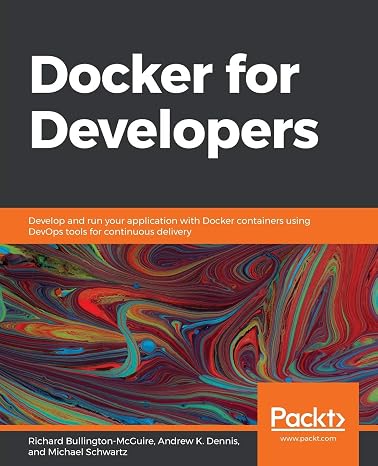
Docker for Developers: Develop and run your application with Docker containers using DevOps tools for continuous delivery
Docker is the de facto standard for containerizing apps, and with an increasing number of software projects migrating to containers, it is crucial for engineers and DevOps teams to understand how to build, deploy, and secure Docker environments effectively.
Docker for Developers: Develop and run your application with Docker containers using DevOps tools for continuous delivery
Item #: 40635559

Docker for Developers: Develop and run your application with Docker containers using DevOps tools for continuous delivery

Item #: 40635559

€ 50

Price Details

Excluding Shipping & Custom charges ( Shipping and custom charges will be calculated on checkout )

*All items will import from US

0 ratings Write a review
In stock
us Imported from USA store

QTY:

Order now and get it around Tuesday, June 30
Our Top Logistics Partners
  • fedex
  • dhl
Docker is the de facto standard for containerizing apps, and with an increasing number of software projects migrating to containers, it is crucial for engineers and DevOps teams to understand how to build, deploy, and secure Docker environments effectively.
U-Care Warranty:
None
Select a Plan
fast shipping

Fast
Shipping

free return

Free
Return*

secure packaging

Secure Packaging

100% original products

100% Original Products

pci-dss

PCI DSS Compliance

iso certified

ISO 27001 Certified


paypal payment
visa payment
mastercard payment
Note: Step Down Voltage Transformer required for using electronics products of US store (110-120). Recommended power converters Buy Now.

What Stands Out

Containerized Development
Easily develop and run applications in isolated Docker containers, ensuring consistency across environments and reducing conflicts during deployment.
Seamless Integration
Integrate with popular DevOps tools to streamline continuous delivery processes, allowing developers to automate workflows and improve productivity effortlessly.
Rapid Deployment
Utilizes Docker's lightweight containers for rapid application deployment, enabling teams to push updates quickly and maintain high availability.

Product Details

Shop Docker for Developers: Develop and run your application with Docker containers using DevOps tools for continuous delivery online at a best price in Estonia. 1789536057
  • Learn Docker and DevOps concepts such as continuous integration and continuous deployment (CI/CD)
  • Understand how to make a deployment workflow run smoothly with Docker containers
  • Gain insights into using various Docker tools and libraries
  • Explore best practices for working with containers from a security perspective
  • Get up to speed with creating containers and understand how they work
  • Deploy and then monitor the health and logs of running containers
Item Weight1.5 lbs (680 grams)

Who Should Buy?

Suitable For
  • Web Developers

    Web developers can efficiently manage environments and dependencies using Docker, ensuring consistent application performance.

  • DevOps Engineers

    DevOps engineers benefit from streamlined continuous delivery processes and automated workflows embedded in Docker.

  • Software Teams

    Teams working in collaboration can utilize Docker for unified environments, making integration and deployment seamless.

Not Suitable For
  • Beginners

    Beginners without familiarity in containerization or DevOps may find Docker's complexity overwhelming and challenging to learn.

  • Non-Developers

    Individuals not involved in development or IT roles may not need Docker's features, making it unnecessary for them.

  • Simple Applications

    Small or simple applications may not require the extensive management and overhead that Docker introduces.

Product Description

Docker for Developers: Develop and run your application with Docker containers using DevOps tools for continuous delivery

Have any Query? Chat with us

Customer Questions & Answers

  • Question: What is Docker and how does it benefit developers?

    Answer: Docker is an open-source platform that automates the deployment of applications inside lightweight, portable containers. For developers, this means they can easily package their applications with all necessary dependencies, ensuring that their applications run consistently in any environment. This is particularly beneficial for microservices architecture, where different services can be developed and deployed independently. Furthermore, Docker enhances collaboration among development, testing, and operations teams, making it easier to maintain consistent environments.
  • Question: How does Docker enable continuous integration and delivery?

    Answer: Docker streamlines the CI/CD process by allowing developers to create standardized development environments, which can be integrated into automated pipelines. When you make changes to your application code, those changes can be immediately tested in an identical Docker container. DevOps tools can then build and deploy these containers with confidence, resulting in faster release cycles. This leads to higher quality software as any bugs can be detected and fixed earlier in the deployment process.
  • Question: Do I need prior knowledge of DevOps to use Docker?

    Answer: While familiarity with DevOps concepts can enhance your experience with Docker, it is not a strict requirement. Docker can be used solely as a containerization tool, allowing developers to get started with containerization efforts independently. However, understanding the principles of continuous integration, continuous delivery, and infrastructure as code will allow you to take full advantage of Docker's capabilities. Eager learners can readily find resources and tutorials that cater to all skill levels.
  • Question: What types of applications can be developed with Docker?

    Answer: Docker is versatile and allows for the development of a wide range of applications, from simple web apps to complex microservices architectures. Because Docker encapsulates applications along with their dependencies, it can be used for any programming language or framework, including Node.js, Python, Java, and Ruby. Developers can even run multiple instances of different applications simultaneously on the same host without conflicts, which is ideal for testing multiple versions of an app.
  • Question: Can Docker be used for both development and production?

    Answer: Yes, Docker is designed to bridge the gap between development and production environments. Developers can use Docker to replicate their production environment locally, ensuring that the application behaves the same in both settings. This minimizes inconsistencies and the 'it works on my machine' problem. Additionally, when moving to production, containers can be orchestrated to provide scaling and manage workloads efficiently, enabling smoother transitions from development to deployment.
  • Question: What are Docker images and containers?

    Answer: Docker images are templates used to create containers, which are lightweight, standalone, and executable software packages that include everything needed to run an application. An image contains the application's code, libraries, and dependencies. When a Docker image is executed, it becomes a container. In practical terms, developers can change their application code and re-build the Docker image to produce a new container version without altering the original template, preserving consistency.
  • Question: How does Docker handle version control?

    Answer: Docker provides built-in version control through image tagging and Docker Compose files. Developers can tag images with version numbers, allowing them to maintain and retrieve different application states easily. Additionally, using a Docker registry, teams can manage and share Docker images efficiently. This enables seamless collaboration, where developers can pull and deploy specific versions of an application as needed, ensuring uniformity across different environments.
  • Question: What resources are available for learning Docker?

    Answer: Various resources are available for developers eager to learn Docker, from official documentation and tutorials to online courses and community forums. Websites like Docker's own site provide extensive guides and instructional videos, while platforms such as Udemy and Coursera offer structured courses. Additionally, GitHub is a treasure trove of projects that developers can explore, giving practical insights into Docker implementation, best practices, and advanced techniques.
  • Question: Is Docker suitable for large deployments?

    Answer: Absolutely! Docker excels in large deployments by facilitating orchestration and scalability. Tools like Kubernetes and Docker Swarm allow developers to manage, scale, and deploy containerized applications across clusters of servers. This orchestration not only simplifies managing microservices but also ensures resource optimization. Businesses can effectively allocate resources for high-demand applications, thus improving efficiency and reliability across the board.
  • Question: Where can I buy Docker for Developers: Develop and run your application with Docker containers using DevOps tools for continuous delivery in Estonia?

    Answer: You can buy Docker for Developers: Develop and run your application with Docker containers using DevOps tools for continuous delivery on Ubuy. Ubuy offers a convenient platform where you can find this comprehensive guide, allowing you to enhance your knowledge and skills in using Docker for application development.

Linux & UNIX Administration Editorial Review

The "Docker for Developers" platform is a highly recommended tool for developers who want to streamline their development process. One standout aspect of the platform is the ease with which it allows you to create and manage containers. Docker for Developers is also noted for its ability to simplify the deployment process and ability to integrate with existing development workflows. It has an intuitive interface, powerful container management, and seamless deployment capabilities, making it a must-have tool for any modern development team. However, some customers have noted that the book version of the "Docker for Developers" can be a brief high-level introduction to various products and services. It does not provide a low-level technical tour guide to working with Docker as a developer on specific scenarios. Nevertheless, the book is very comprehensive with practical examples, tools, and use cases.

Customer Reviews & Ratings

5.0
1 customers ratings
  • 5 Star
    100%
  • 4 Star
    0%
  • 3 Star
    0%
  • 2 Star
    0%
  • 1 Star
    0%

Review this product

Share your thoughts with other customers

Pros

  • Ease of creating and managing containers
  • Simplifies the deployment process
  • Ability to integrate with existing development workflows
  • Intuitive interface
  • Powerful container management
  • Seamless deployment capabilities

Cons

  • Brief high-level introduction to certain products and services.

Product Price History

Important information

  • Limitations : For products shipped internationally, please note that any manufacturer warranty may not be valid; manufacturer service options may not be available; product manuals, instructions, and safety warnings may not be in destination country languages; the products (and accompanying materials) may not be designed in accordance with destination country standards, specifications, and labeling requirements; and the products may not conform to destination country voltage and other electrical standards (requiring use of an adapter or converter if appropriate). The recipient is responsible for assuring that the product can be lawfully imported to the destination country. When ordering from Ubuy or its affiliates, the recipient is the importer of record and must comply with all laws and regulations of the destination country.
  • Not all the products listed on Ubuy are for sale, as Ubuy is a global search engine. Products are subject to export/trade regulations.