- Home Page /
- Office Products /
- Office Electronics /
- Other Office Equipment /
- Label Makers /
- Casio CW-L300 Label-Biz Disc Title Printer wi...
0 ratings




Item #:
4730673
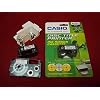
Casio CW-L300 Label-Biz Disc Title Printer with QWERTY Keyboard
Item #:
4730673
€ 423
Price Details
Excluding Shipping & Custom charges ( Shipping and custom charges will be calculated on checkout )
*All items will import from US
0 ratings
Write a review
In stock
 Imported from USA store
QTY:
Only 1 item left in stock.
Order now and get it around Wednesday, June 24
Secured transaction
Ubuy works hard to protect your security and privacy. Our advanced payment security system ensures confidentiality by encrypting your information during transmission using AES (Advanced Encryption Standards) and SSL (Secure Socket Layer) protocols. Your payment details are 100% secure as we do not share your payment details with third party sellers.
Our Top Logistics Partners


A must-have printer for efficiency management control.

Fast
Shipping

Free
Return*

Secure Packaging

100% Original Products

PCI DSS Compliance

ISO 27001 Certified


Note: Step Down Voltage Transformer required for using electronics products of US store (110-120). Recommended power converters Buy Now.


What Stands Out
QWERTY Keyboard
The Casio CW-L300 features a user-friendly QWERTY keyboard, making typing labels quick and efficient, perfect for office environments and home use alike.
High-Quality Printing
This label printer produces high-resolution prints that ensure readability and professionalism, ideal for creating durable labels that withstand daily wear and tear.
Versatile Disc Titles
Designed for disc labeling, the CW-L300 effortlessly creates custom titles for CDs and DVDs, catering to businesses and personal projects with ease and creativity.
Product Details
- Prints directly onto CDs, DVDs and a variety of cut-and-peel labels
- Supports 4000 characters, a variety of fonts, and 14 languages
- Prints up to 8 lines, 225 entry characters
- Full 74-key QWERTY keyboard, 4-line/12-digit LCD display
- Includes ink ribbon cassette and tape cartridge, USB cable
| Printer Type | Thermal |
| Other Special Features of the Product | Portable |
| Printer Output Type | Monochrome |
| Item Weight | 4.81 Pounds (2.18 kg) |
| Print media | Labels |
| Scanner Type | Photo |
| Ink Color | black |
| Additional Printer Functions | Print Only |
| Control Method | App |
| Resolution | 200 x 200 DPI |
| Maximum Media Size | 4.72 inches (12 cm) |
| Maximum Sheet Capacity | 8 |
| Color | Silver |
| Color Depth | 1 bits_per_pixel |
| Printer Connectivity Type | USB |
| Hardware Interface | USB |
| Total Usb Ports | 1 |
| Brand | Casio |
| Model Name | CW L300 |
| Model Number | CW-L300 |
| Built-In Media | 100 Label Sheets |
| Model Series | CW |
| Specific Uses For Product | Office |
| UPC | 079767168582 |
| Global Trade Identification Number | 00079767168582, 20079767168586 |
| Manufacturer | Casio Inc. |
| Maximum Print Resolution Black and White | 300 dpi |
| Dual-sided printing | Yes |
| Duplex | Automatic |
| Maximum Copy Resolution Black and White | 200 dpi |
| Connectivity Technology | USB |
| Printing Technology | Thermal |
| Special Feature | Portable |
| Printer Output | Monochrome |
| Included Components | 100 Label Sheets |
Who Should Buy?

-
Home Users
Ideal for home users who need customizable labels for organizing household items, files, or personal belongings.
-
Small Businesses
Great for small businesses requiring professional labels for products, files, or marketing materials to enhance branding.
-
Students
Helpful for students looking to label school supplies, projects, or notebooks for better organization and identification.

-
Large Corporations
Not suitable for large corporations needing high-volume label production due to slower output and limited automation.
-
Graphics Designers
May not meet the needs of graphic designers requiring intricate designs and professional printing capabilities beyond basic labels.
-
Heavy Duty Users
Not recommended for users needing robust, high-durability labels for extreme conditions or continuous use in industrial settings.
Product Description
Have any Query? Chat with us
Customer Questions & Answers
-
Question:
What are the key features of the Casio CW-L300 Label-Biz Disc Title Printer?
Answer: The Casio CW-L300 features a QWERTY keyboard for straightforward typing, high-resolution printing for sharp labels, and compatibility with various disc formats. It allows users to create custom labels for CDs, DVDs, and more, catering to both personal and professional uses. The ability to print in multiple font styles and sizes adds to its versatility, making it perfect for organizing media collections, creating labels for presentations, or even personalizing gifts. -
Question:
Can I use the Casio CW-L300 for printing labels other than discs?
Answer: Yes, the Casio CW-L300 is versatile enough to print various types of labels beyond just discs. It can create labels for folders, files, and generic organizational needs, making it useful in home and office environments. This functionality is particularly beneficial for those needing to categorize or manage multiple items efficiently, enhancing organization and accessibility. -
Question:
How do I set up and start using the Casio CW-L300?
Answer: Setting up the Casio CW-L300 involves plugging it into a power source, inserting the appropriate label or disc media, and connecting it to a computer if desired. The user-friendly interface and QWERTY keyboard allow for immediate typing and editing. This setup is perfect for anyone who wants to quickly print professional-looking labels for events, presentations, or everyday organization. -
Question:
What is the maximum label length that can be printed with the CW-L300?
Answer: The maximum label length that can be printed with the Casio CW-L300 typically extends to a few meters, allowing for customization of larger labels. This feature is particularly advantageous for users creating banners or labeling larger surfaces, such as storage bins or shelving units, where space for information is crucial. It enables projects that require visibility and clear information. -
Question:
Is the Casio CW-L300 compatible with Mac and Windows?
Answer: The CW-L300 is compatible with both Mac and Windows operating systems, ensuring flexibility for users of different systems. This capability is essential for users who switch between devices or who work in environments that utilize multiple system types. It allows seamless integration into various workflows, whether at home, in education, or in the corporate realm. -
Question:
What types of media can I print labels on with the CW-L300?
Answer: The CW-L300 can print labels on various media types including CDs, DVDs, and sticker labels. This versatility allows for personalized projects, from music collections to professional presentations. Users enjoy the freedom to creatively label their media, ideal for organizing personal libraries or enhancing the branding of business materials. -
Question:
Are there different design templates available for the labels?
Answer: Yes, the Casio CW-L300 comes with a variety of design templates that facilitate easy customization of labels. These templates help users quickly create stylish and professional-looking labels suitable for any occasion. Whether you are organizing photos, creating promotional materials, or labeling gifts, these templates can streamline the process. -
Question:
What types of fonts and graphics can I use with the CW-L300?
Answer: The Casio CW-L300 supports multiple font styles, sizes, and graphics, offering extensive customization options. This feature is beneficial for crafting eye-catching labels for events, presentations, or personal projects. Users can easily experiment with different layouts to ensure their labels stand out, making them suitable for both everyday use and special events. -
Question:
How does the color printing work with the CW-L300?
Answer: The CW-L300 utilizes a thermal transfer printing technology to produce vibrant, full-color labels. Users can print in a range of colors, making it ideal for creative projects where color coding is vital, such as organizing office supplies, creating educational materials, or personalizing gifts. The ability to print in color enhances both visibility and appeal. -
Question:
Where can I buy the Casio CW-L300 Label-Biz Disc Title Printer in Estonia?
Answer: You can purchase the Casio CW-L300 Label-Biz Disc Title Printer with QWERTY Keyboard through Ubuy in Estonia. Ubuy offers a convenient shopping experience, complete with various options to suit your needs while ensuring quick access to this versatile labeling device.
Casio Label Makers CW-L300 Editorial Review
The Casio CW-L300 CD and DVD Disc Title and Label Printer has received mixed reviews from customers. Some users experienced issues with the printer, citing that it arrived broken or never worked out of the box. However, others found the printer to be a valuable tool, especially for single discs, and praised its printing quality, describing it as fast and professional. One user highlighted the importance of downloading updated driver files from the Casio website, particularly for Windows Vista/7/8 users, to ensure proper functionality. Another user found the printer simple and easy to use, despite some difficulty in acquiring ink cartridges. Overall, while there were initial concerns with functionality, those who were able to resolve them were happy with the results, finding the printer to be a valuable addition for professional-looking disc labeling.
Customer Reviews & Ratings
21 customers ratings
-
5 Star
55%
-
4 Star
14%
-
3 Star
12%
-
2 Star
0%
-
1 Star
19%
Review this product
Share your thoughts with other customers
Pros
- High-quality printing for single discs
- Fast and professional results
- Assistance in creating professional-looking labels
- Simple and easy to use
Cons
- Initial setup and driver installation challenges
Product Price History
Important information
- Limitations : For products shipped internationally, please note that any manufacturer warranty may not be valid; manufacturer service options may not be available; product manuals, instructions, and safety warnings may not be in destination country languages; the products (and accompanying materials) may not be designed in accordance with destination country standards, specifications, and labeling requirements; and the products may not conform to destination country voltage and other electrical standards (requiring use of an adapter or converter if appropriate). The recipient is responsible for assuring that the product can be lawfully imported to the destination country. When ordering from Ubuy or its affiliates, the recipient is the importer of record and must comply with all laws and regulations of the destination country.
- Not all the products listed on Ubuy are for sale, as Ubuy is a global search engine. Products are subject to export/trade regulations.
€ 423
Order now and get it around Wednesday, June 24
This item is not restrict in my country.(Please click on above link if this item is not restrict in your country, So our team will review and allow.)
QTY:
Only 1 item left in stock.
Secured transaction
Ubuy works hard to protect your security and privacy. Our advanced payment security system ensures confidentiality by encrypting your information during transmission using AES (Advanced Encryption Standards) and SSL (Secure Socket Layer) protocols. Your payment details are 100% secure as we do not share your payment details with third party sellers.
Our Top Logistics Partners
Fastest cross-border delivery
Features & Benefits
- Perfect tool for small business or home office users
- Direct printing on CDs and DVDs for professional applications
- Allows organizing business, digital photography, and entertainment easily
- Features QWERTY keyboard for stand-alone operation
- Prints up to 8 lines on labels and discs
- Comes with PC software with multiple fonts and languages